
Plan with insight
See available hours and overloaded weeks before committing to new work.
Know who has capacity, what the work needs and where your budget goes. Allovexa connects project planning with the time and costs recorded by your team.
On-premise. Your environment. Your data.
 AllovexaProject planning
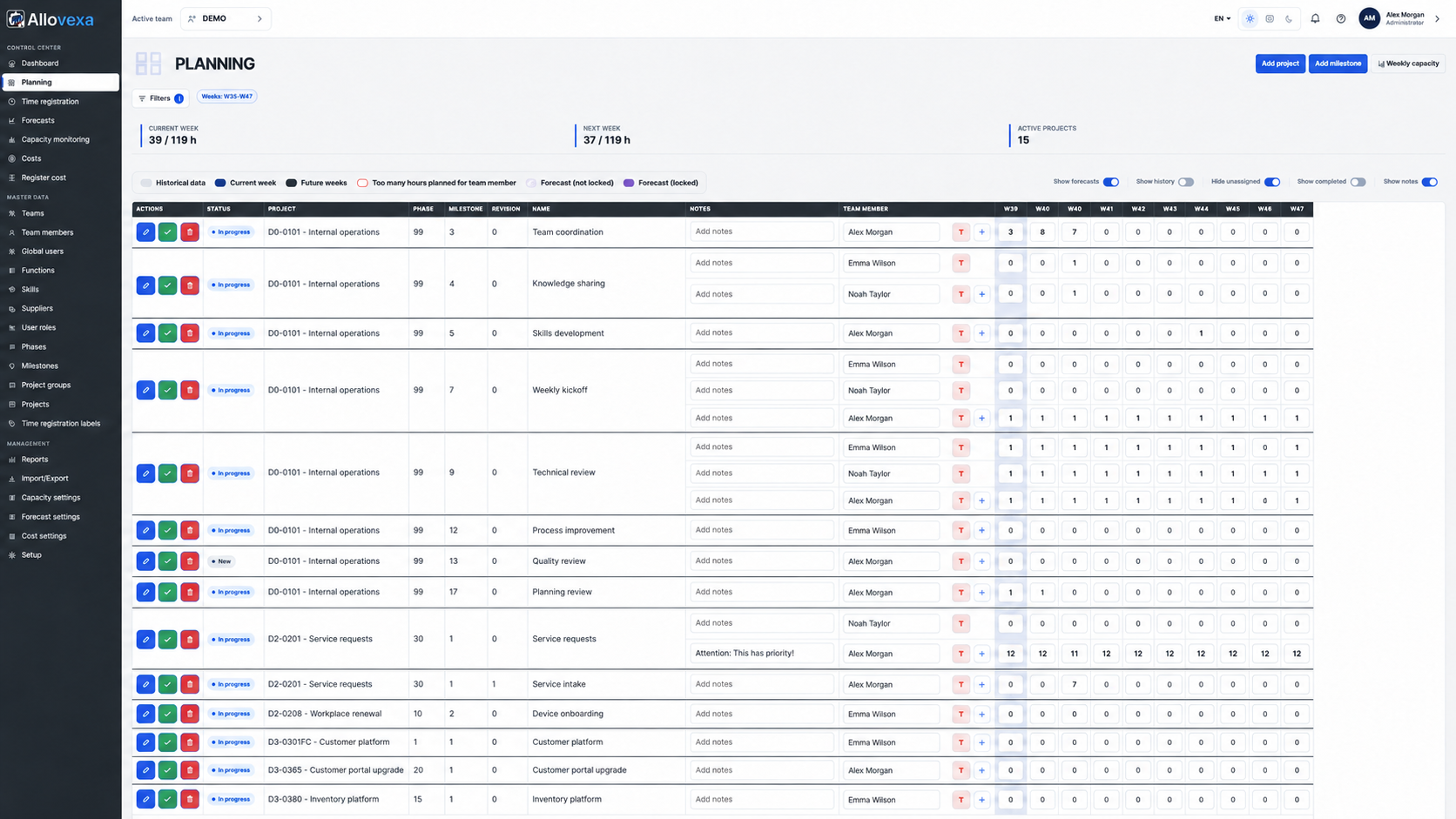
A full schedule does not tell you whether the workload is realistic. And recorded hours are only part of the picture. Allovexa brings your people, available time and spending together around the same projects.
See available hours and overloaded weeks before committing to new work.
Let your team record time and costs against the projects you plan.
Follow capacity and budgets without constantly comparing separate spreadsheets.
Every module builds on the same structure of projects, phases and milestones.
Assign work across people and weeks. Account for work schedules, absences and available hours, and see where capacity is getting tight.
Estimate hours per milestone using previous projects and explore when new work fits. The engine combines your estimates and recorded results with capacity and required skills.
Record time directly against a project and milestone. Use a timer or enter hours manually. Daily, working-week and full-week views help your team keep track.
Look beyond invoices already paid. Track actual and committed costs against the budget. Attach receipts and documents, and review the details suggested by text recognition.
When can new work fit into your schedule? And how many hours will each milestone — each project step — take? The Smart Forecast Engine brings together your estimates, past results and available capacity.
For your first projects, you enter the expected hours yourself. Your knowledge of the work provides the starting point for the forecast.
The engine uses recorded hours from completed milestones and phases, alongside your previous project estimates. Projects of the same type are the main point of comparison.
When history is limited, the same milestones in other project types make a smaller contribution. More relevant, carefully recorded results can help the engine estimate the hours required more accurately.
You can adjust the proposed hours yourself. Allovexa then explores when the work fits, taking people, skills and planning constraints into account. The result remains an informed estimate.
Give planners, team members and administrators access to the features relevant to their roles.
Arrange your dashboard and share insights through PDF reports on capacity, skills, forecasts and costs.
Check your own week, track time and view or edit recent costs. Add a receipt on the go by upload or camera.
Structure your project into phases and milestones. Set out the effort and budget it needs.
Assign hours across your team. Explore future work with forecasts, taking skills and capacity into account.
Let your team record time and costs. Use the overviews to spot differences and adjust your plans.
Allovexa adapts to your device. Work in depth at your desk, or capture updates while you are out.
The recommended environment for everyday work: full planning, forecasts, capacity, time, costs and administration, with room for detailed overviews.
A tablet offers the same functionality as desktop, with a layout adapted to the screen and touch interaction.
Check your own weekly plan, track time and view or edit recent cost entries. Add new costs by uploading a file or using the camera.
You stay in control: review the suggested details before saving the entry.
Allovexa connects phases, milestones, capacity, time and costs. This supports practical elements of a range of project and improvement approaches.
Use phases and milestones as recognisable steps. Plan effort and budgets by project component, combining a stable project structure with regular adjustments.
Capacity insight highlights overload and unused availability. Use planned and recorded hours to discuss wasted effort and improve how your team works.
See which people or skills are scarce. Check new work against their availability and use forecasts to explore the effect on capacity.
Set up Define, Measure, Analyze, Improve and Control as project phases. Time, capacity and costs provide input for evaluation and adjustment; statistical Six Sigma analyses belong in dedicated tools.
Availability, priorities and safety margins align with resource-focused planning. Allovexa helps you assess assignments; this does not imply full critical-chain calculations or buffer management.
Use weekly capacity and time records when discussing effort for iterations or sprints. Allovexa complements planning; sprint backlogs, Scrum events and burndown remain part of your own Scrum practice and tools.
Phases, milestones, roles, effort and budgets help you structure work and discuss progress. You define governance, decision-making and the other elements of your chosen framework.
These connections describe practical uses. Allovexa is not a certified or complete implementation of these methods or frameworks.
No established approach yet? We can help you get started with project-based planning.
I’m interestedFrom sign-in to document downloads, Allovexa combines account protection, permission checks and safeguards for connection credentials.
Local accounts require a confirmed email address and a password of at least 12 characters using multiple character types. Five failed attempts trigger a 15-minute lockout. Sign-in requests are also rate limited.
Access follows roles and configured permissions. The application also checks whether the account, team and membership are active. Documents have additional access checks.
MFA with authenticator codes and recovery codes is planned for the first founding-customer release. Enabled MFA is also respected during Microsoft sign-in.
Attachments are restricted by type and size and checked for malware during processing and opening. Access is denied if the required scanner is unavailable.
Stored connection secrets and Data Protection keys receive Windows DPAPI protection. The default SQL runtime connection uses Windows authentication.
Application events are logged. Selected actions, such as successful sign-ins and attachment changes, create audit records.
The first customer release is still being validated. MFA is not automatically mandatory for every account; activation and environment configuration remain part of administration.
SSO and Microsoft integrations are included in every Allovexa package.
Sign in with your Microsoft account. Access requires a linked, active account in Allovexa.
Use the Microsoft integration to send application email through your own Microsoft environment.
Store cost documents in your configured SharePoint storage. Allovexa checks access permissions and documents when retrieving them.
App registrations support authentication with a secret or a certificate. The required app registrations, permissions and access are configured in your own Microsoft environment. We can help you set them up.
I’m interestedAllovexa is installed in your own server environment. You manage the project database, access and retention policy. You retain ownership of your data and decide how your environment is configured.
If you enable Microsoft integrations, the relevant sign-in, email or document storage runs through your own Microsoft environment. Server administration and backups are part of managing your installation.
A single installer for Allovexa and its supporting components is planned for the first customer release. You will be able to install it yourself. Would you like help with installation, Microsoft integrations or initial configuration? We’re happy to assist.
Discuss setup & supportThe final support list and minimum capacity will be established for the first release. This is the confirmed test baseline.
| Operating system | Windows Server 2022 x64 has been tested with IIS and WebSockets. Other supported Windows Server versions have not yet been formally established. |
|---|---|
| Database | Microsoft SQL Server. SQL Server Express works in the isolated test environment; exact versions and supported editions are still to be documented. |
| Runtimes | Microsoft .NET Runtime and ASP.NET Core Runtime 10.0.12 or a later 10.0 servicing patch, through the ASP.NET Core Hosting Bundle for IIS. |
| CPU, memory & storage | The test VM uses 4 vCPUs and 16 GiB RAM, with 80 GiB on C: and 40 GiB on D:. These describe a reference environment, not minimum requirements. |
| OCR & document processing | The release candidate bundles Tesseract 5.5.3, Leptonica, native libraries and OCR language files for Dutch, English and German. Document processing also requires a configured broker and an active Microsoft Defender scanner. |
| Installation package | A single installer for the application and supporting components is planned. The complete customer installation is still being validated. |
If you are just getting started with project-based working, we can help turn your work into projects, phases and milestones. We’ll help you establish a useful structure, capacity settings and your first plan.
I’m interestedA migration licence is available to move your installation. Get in touch for the terms and assistance with the move.
I’m interestedWe are looking for organisations that want to be the first to use Allovexa. Founding customers start at a reduced rate and contribute practical experience that helps the application develop.
Allovexa is not yet available. The start window is indicative. Register your interest to learn more about taking part and the reduced rate.
Register your interestTime tracking, SSO and Microsoft integrations are always included. Add cost registration and budget control when you need them.
For a compact team
For multiple collaborating teams
Tailored to your organisation
Optional with every package. Record costs, attach documents and compare actual and committed spending with your budget.
The same rate for every package, regardless of the number of users or teams.
All prices exclude VAT.
Founding customers receive a reduced rate. Contact us for more information.
I’m interestedMicrosoft integrations use the app registrations and access permissions in your own Microsoft environment.
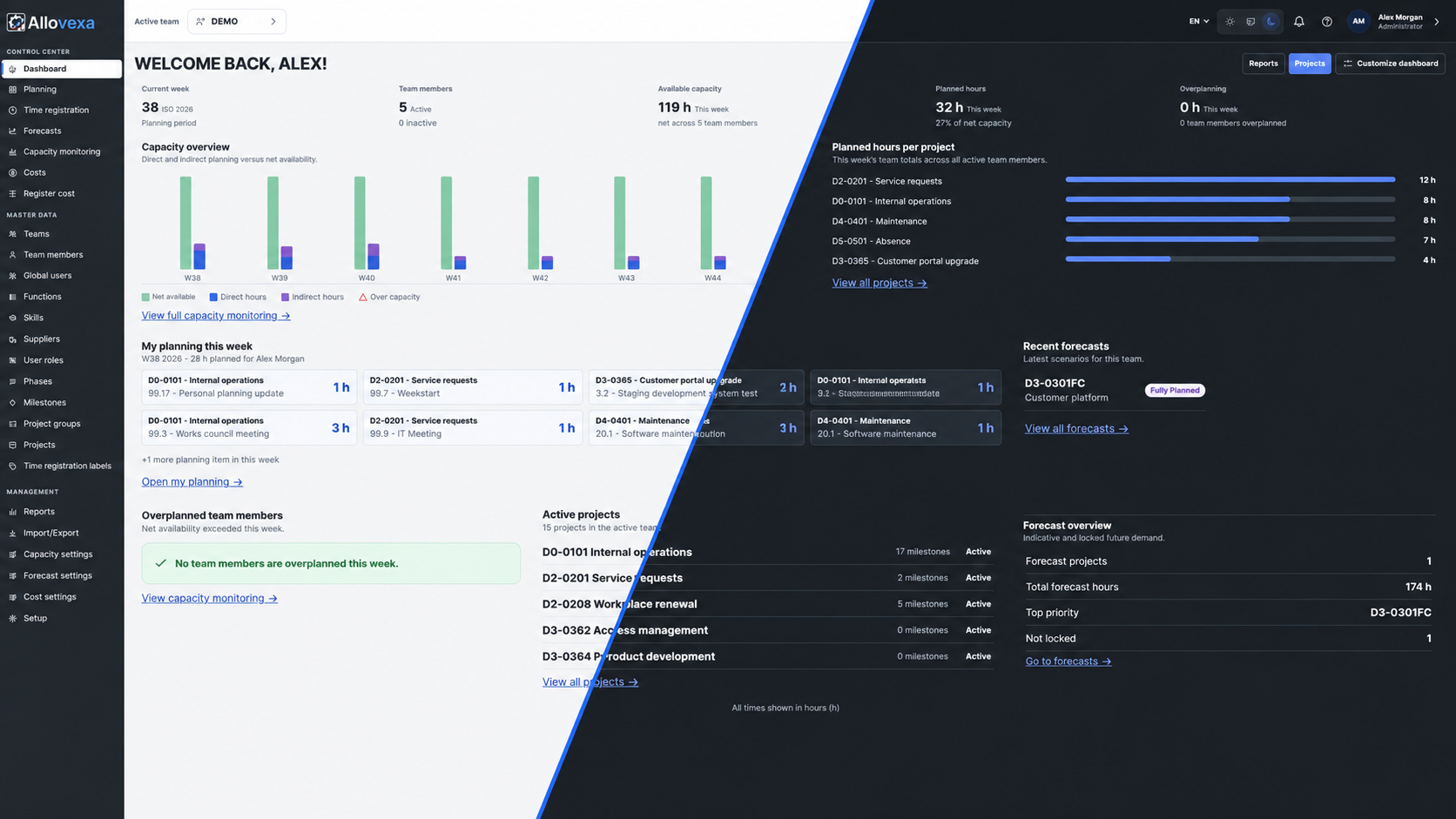
Choose a light or dark theme in Allovexa, or let Auto follow your system preference. The application will be available in Dutch, German and English.
A few practical answers about Allovexa.
I’m interestedAllovexa is still in development and is not yet available. We are looking for founding customers, with an expected start in late Q4 2026 – Q1 2027. This timing is indicative. Contact us to register your interest.
An organisation that is among the first to use Allovexa and contributes practical experience. Founding customers receive a reduced rate. Participation, support and terms are discussed individually.
Start with your own estimate of the hours required. As you complete work and record time, the engine uses those results and previous estimates for future projects. Comparable projects of the same type are the main reference.
Time tracking, SSO and Microsoft integrations are included in all packages. Cost registration and budget control are optional at €345 per year per installation, excluding VAT and regardless of package.
Allovexa focuses on project planning, time tracking and cost control. It helps you follow budgets, actual costs and commitments. Accounting and invoice approval workflows are not part of the cost module.
On your phone, check your own weekly plan, track time and view, edit or add recent cost entries. Add receipts and invoices by upload or camera, with image correction and OCR. Tablets offer the complete desktop functionality; desktop is recommended for everyday work.
A single installer is planned for the first customer release. You can install it yourself and request support. A migration licence is available when moving to another machine; contact us for the terms.
Support for Dutch, English and German is planned. Application translations are being completed for the release.
Upload a document or take a photo on your phone. Camera images can be straightened and enhanced. OCR then suggests the recognised details. Review and correct them before saving. Recognition learns from your corrections. Cost registration is part of the optional cost module.
Register your interest as a founding customer, or ask about pricing, installation or project-based working. Allovexa is not yet available; we’d be happy to discuss the first customer release.